
You can now set every menu option from the dashboard and have your saved loadout applied automatically the moment the cheat injects.
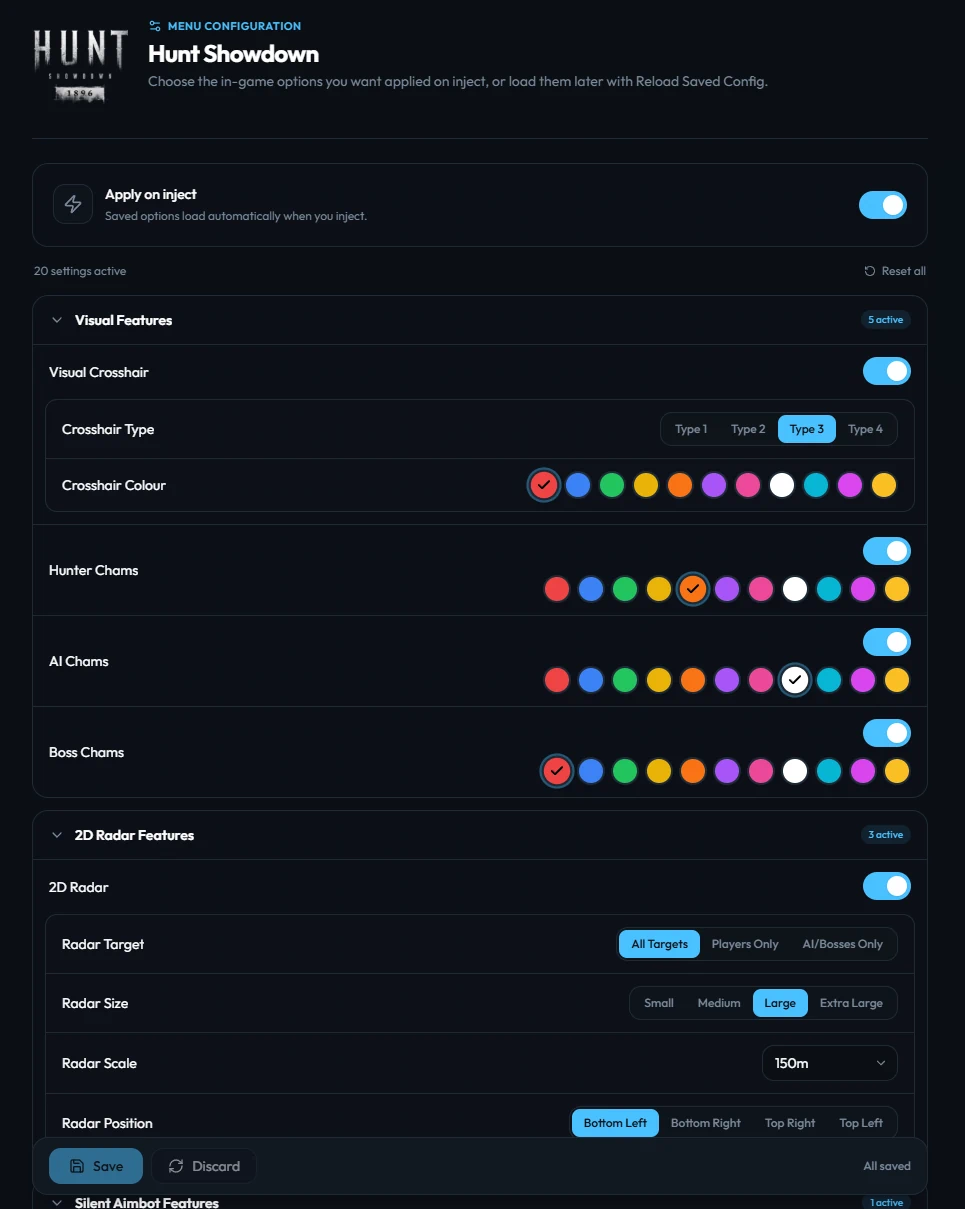
What's new
- Per-cheat presets. Configure every folder and option for each game you own, saved to your account.
- Auto-apply on inject. Toggle it on and the loader pushes your saved config the instant the menu spawns.
- Manual reload. Prefer to keep in-game defaults? Turn auto-apply off and toggle Load Saved Menu Config at the bottom of the menu whenever you want your preset.
- Schema-aware. When we add new options to a cheat, they show up in the dashboard editor automatically — no client update needed.
How to use it
- Open your dashboard.
- Click Configure Menu on any game card.
- Cycle through the options — the UI mirrors the in-game menu 1:1.
- Hit Save. Next injection, your loadout is ready.
Auto-apply vs manual
| Auto-apply | Behavior |
|---|---|
| On | Saved options load the moment the menu appears in-game |
| Off | Menu opens with cheat defaults; toggle Load Saved Menu Config at the bottom of the menu to load your preset |